
Plan Every Shift. Track Every Batch.
Execute with Confidence.
Manage production shifts, manpower, machines, batches, job cards, and production parameters from one centralized interface.
Shift-level
planning to execution
Batch-wise
job card tracking
Digital
parameter records
Is Your Production Team Facing These Challenges?
Shift plans live in one place, batch status in another, and handover details in a notebook. The cost shows up as delays on the floor.




Turn Shift Planning into a Structured Workflow
IOT3SIXTY provides a centralized view of shifts, production lines, batches, and operations—helping teams start, execute, and monitor every shift efficiently.
Everything a Shift Needs, in One Place
Daily Shift Dashboard
View scheduled shifts, production lines, and batches from one screen.
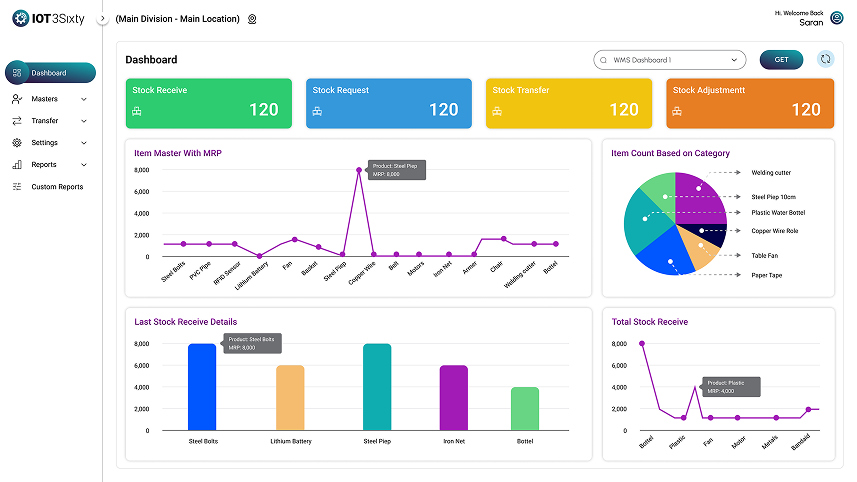
Batch-wise Production
Identify planned batches and track their current progress.
Shift Start Confirmation
Confirm manpower, machine status, and shift handover details before production begins.
Job Card Management
Access all manufacturing operations linked to each production batch.
Parameter Recording
Capture important production parameters directly during each operation.
One Continuous Path from Plan to Completed Batch
1. Shift Planning
Plan production schedules based on demand and available capacity.
2. Select Shift & Line
Choose the shift and production line for the planned batch.
3. Select Batch
Select the batch to be produced and tracked.
4. Confirm Resources
Verify materials, machines, manpower and resources are ready.
5. Open Job Cards
Access assigned job cards and review required operations.
6. Execute Operations
Perform production operations and track progress in real time.
7. Record Parameters
Capture process parameters, measurements and production data accurately.
8.Complete Batch
Complete the batch and record final production status.
1. Shift Planning
Plan production schedules based on demand and available capacity.
2. Select Shift & Line
Choose the shift and production line for the planned batch.
3. Select Batch
Select the batch to be produced and tracked.
4. Confirm Resources
Verify materials, machines, manpower and resources are ready.
8.Complete Batch
Complete the batch and record final production status.
7. Record Parameters
Capture process parameters, measurements and production data accurately.
6. Execute Operations
Perform production operations and track progress in real time.
5. Open Job Cards
Access assigned job cards and review required operations.
What Changes on the Shop Floor

Better Visibility
Know what is planned and what is in progress.
Less Downtime
Identify issues earlier and respond faster.
Faster Execution
Reduce manual coordination and production delays.
Better Traceability
Capture production activity and process data.
Higher Productivity
Keep production moving with fewer interruptions.
Smarter Decisions
Turn real-time data into actionable insights.
Built for Modern Manufacturing Teams

INDUSTRIES
DEPARTMENTS
USERS
Questions Teams Ask

Run Every Production Shift with Confidence
Simplify shift planning, batch execution, and shop-floor monitoring with IOT3SIXTY.